
Capture anything. Turn it into finished work.

FullGrab captures any webpage, then lets you annotate, redact, extract text or tables, create PDFs and send content to AI—without jumping between five different tools.

Capture

Every capture mode in one popup

No setup, no account — pick how you want to grab the page and click once.
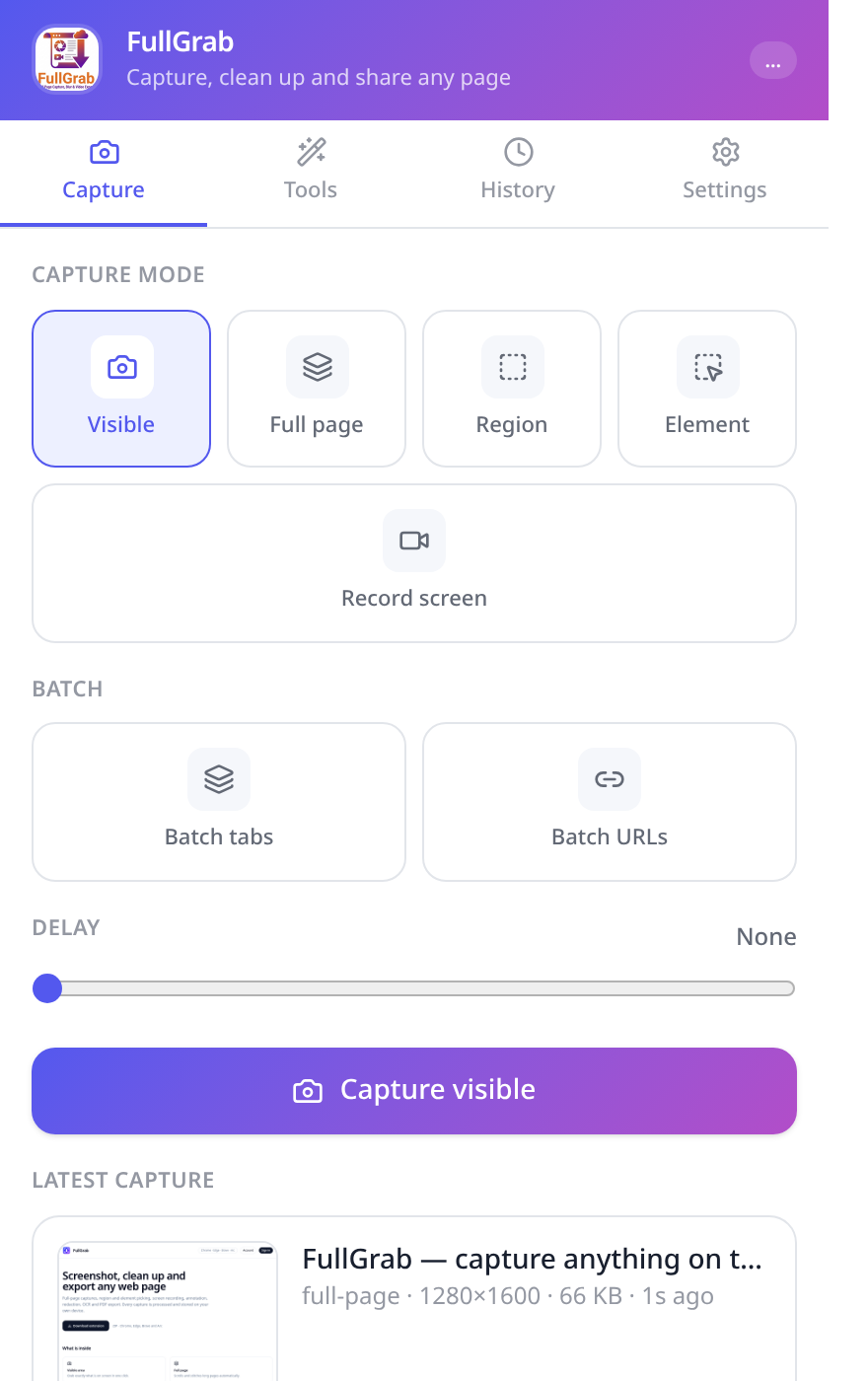
  • Grab the visible area instantly with a single click
  • Full page capture auto-scrolls and stitches long pages
  • Select a region or pick a single element on the page
  • Record your screen or tab, with audio when you need it
  • Batch capture many open tabs or a list of URLs at once
  • Batch capture a list of URLs at once
FullGrab Capture tab with visible, full page, region, element and record screen modes plus batch options

Edit & protect

Clean up, annotate & protect

Ship a screenshot that says exactly what you mean — and nothing you didn't intend.
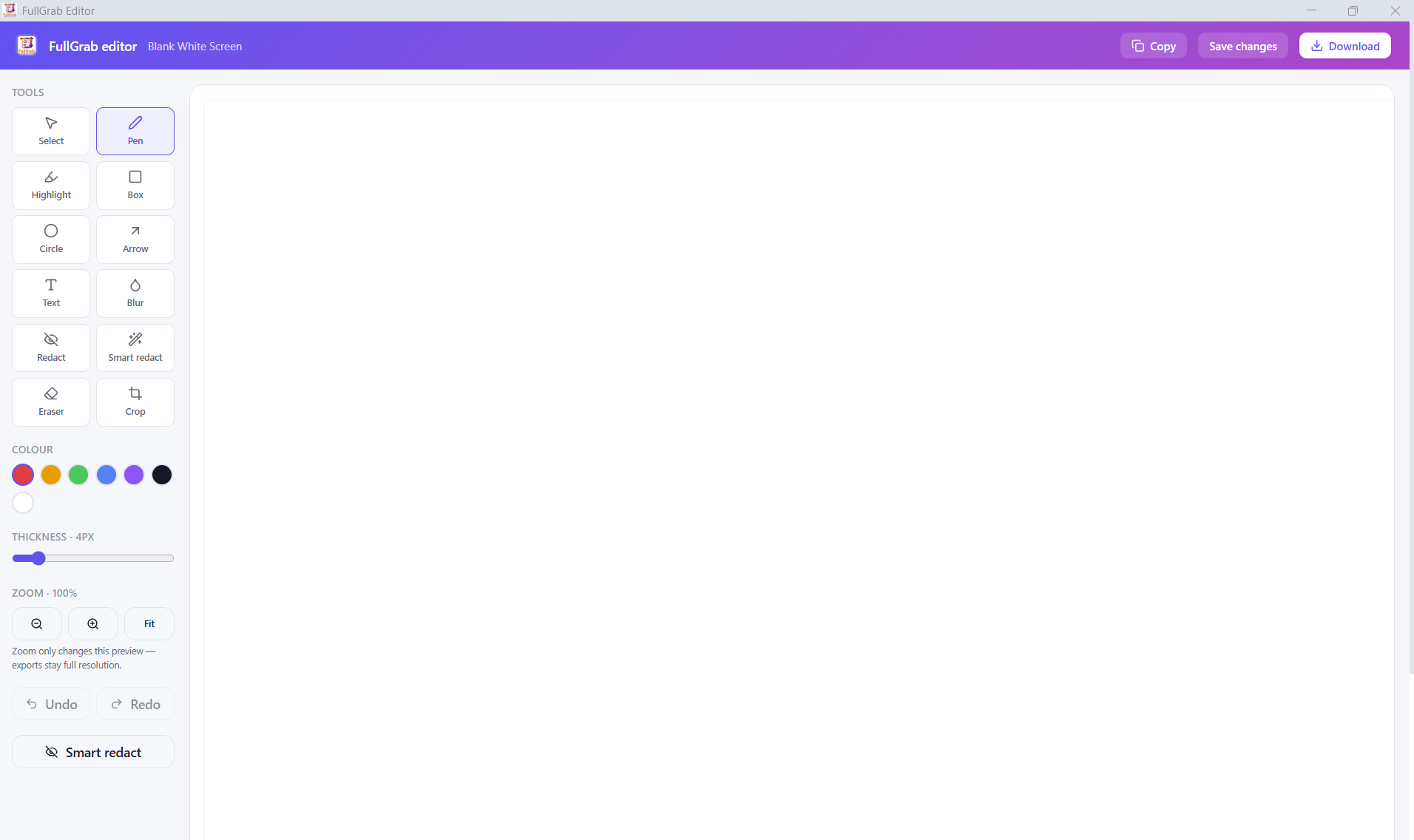
  • Remove cookie banners, chat widgets and other clutter before capturing
  • Annotate with arrows, text, highlights and shapes
  • Crop and resize to the part that matters
  • Smart Redact auto-blurs emails, cards and other private details
  • Hide anything else by hand before you share
FullGrab editor with pen, highlight, blur, redact and crop tools

Extract

Turn webpages into usable files

A screenshot is only the start — get the data out of the page too.
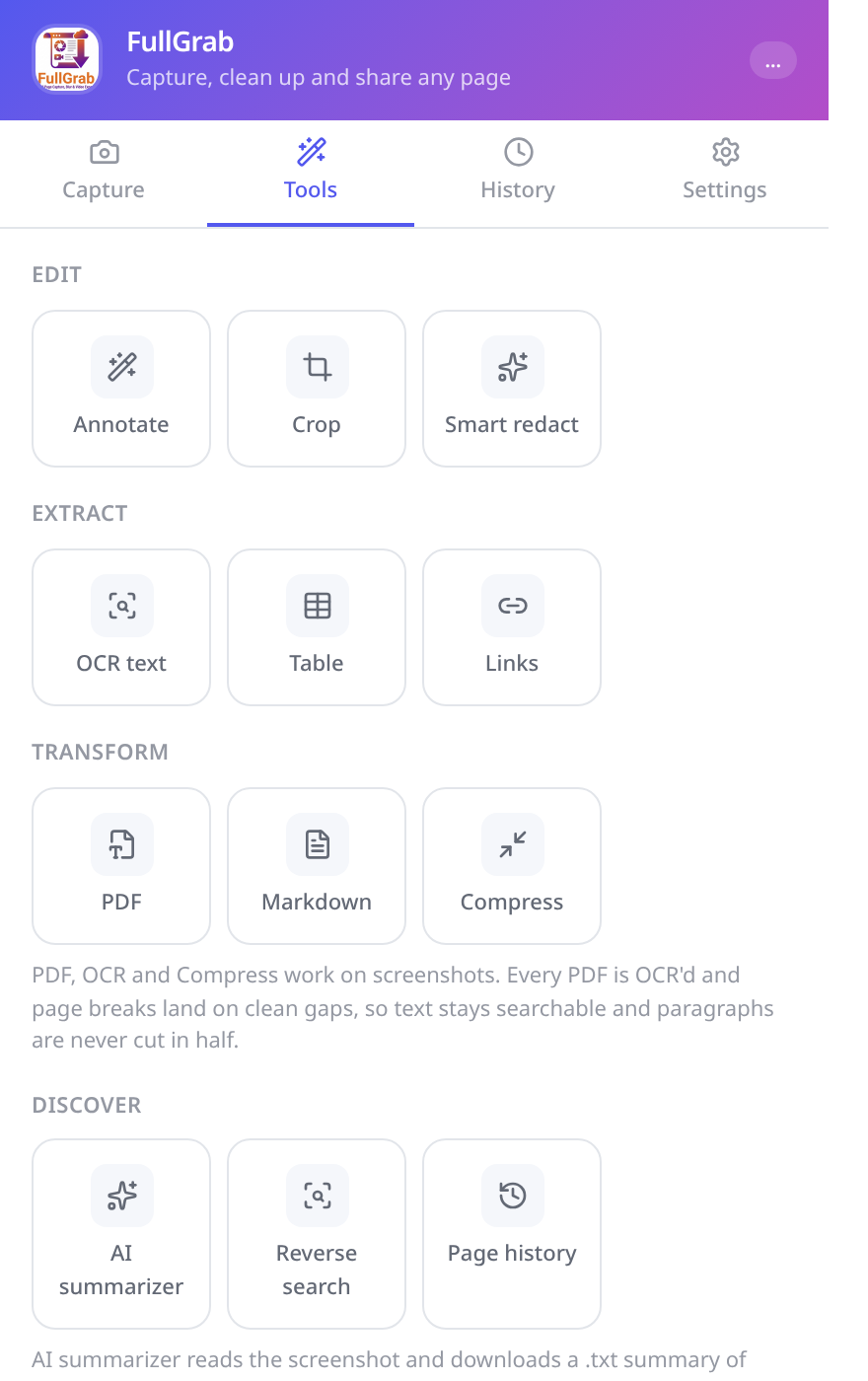
  • On-device OCR turns any capture into copyable text
  • Export tables straight to CSV for a spreadsheet
  • Pull every link on a page into a clean, exportable list
  • Build searchable PDFs with smart page breaks
  • Save as Markdown or a compressed image when size matters
FullGrab exporting OCR text, CSV tables and PDFs

AI tools

Work faster with AI

Send a capture where the thinking happens, in one click.

  • Open any capture in ChatGPT, Claude or Gemini
  • Send extracted text instead of a heavy image for better answers
  • Summarize long pages in seconds
  • Reverse image search a capture to find where it came from
  • Check how a page looked before with Wayback history
FullGrab Tools tab with AI actions for ChatGPT, Claude and Gemini

History

Your captures. Saved, searchable, ready

Everything you grab stays organised and one click away.
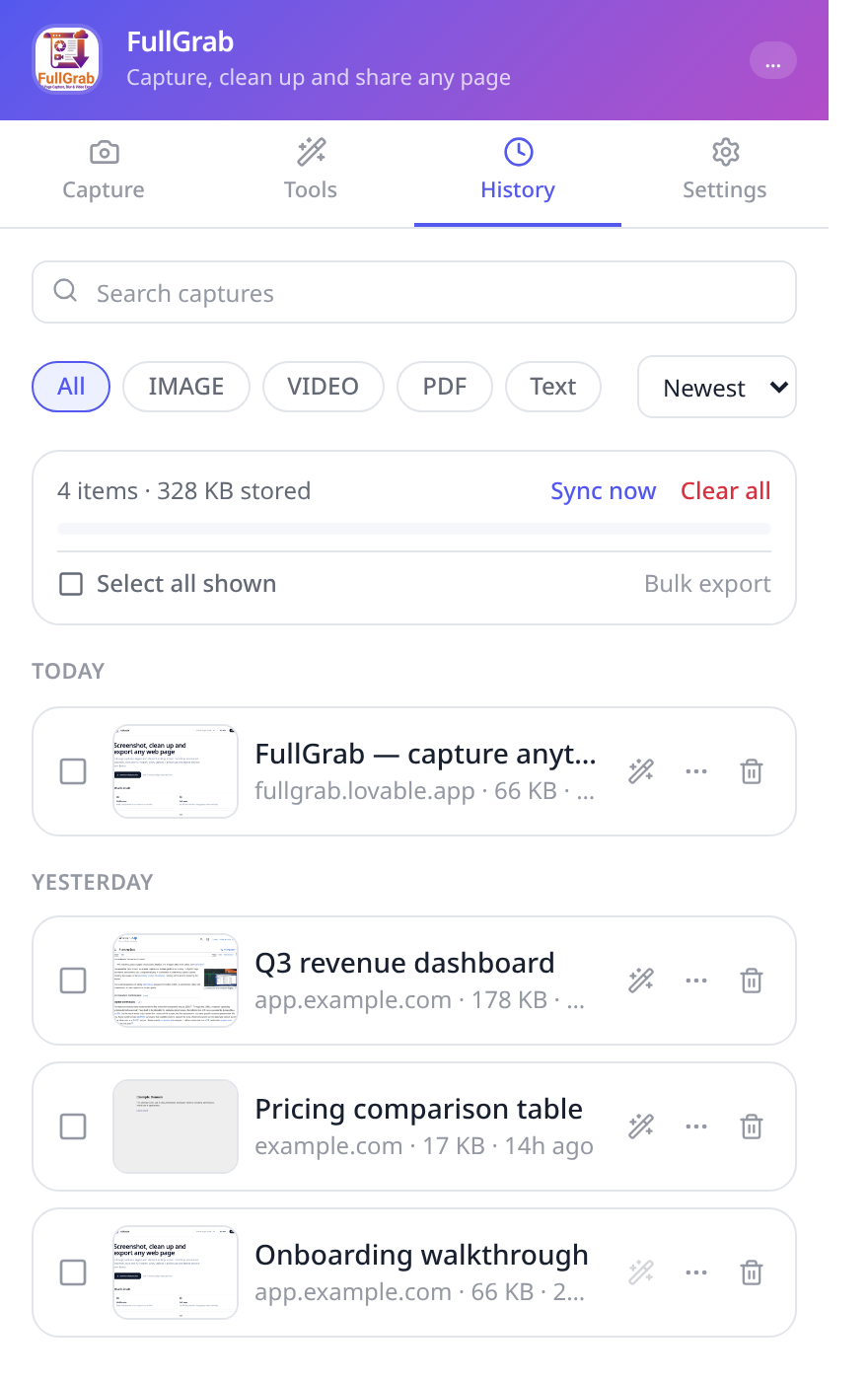
  • Search your captures by title, date or type
  • Filter by image, video, PDF or extracted text
  • Bulk select and export whole batches at once
  • Copy, re-edit or share any capture again later
  • Optional sync keeps a backup of the captures you choose
FullGrab History tab with search, filters and bulk selection

Privacy

Your pages stay yours

FullGrab is built so that private screenshots stay private.

Processed on your device

Capturing, stitching, editing, redaction, OCR and PDF export all happen locally in your browser.

Optional cloud features

Captures stay on your device by default. Enable cloud sync when you want an online backup, or create an unlisted share link that anyone with the link can view.

Start capturing immediately

An account is only required for Pro and online features such as cloud sync and share links.

Permissions in plain language

FullGrab asks only for what a screenshot tool needs: reading the page you capture, downloads and storage for your history.

How it works

From page to file in five steps

  1. 01

    Install from the Chrome Web Store

    Free, no account, works in Chrome, Edge, Brave and Arc.

  2. 02

    Pin FullGrab to your toolbar

    One click — or a keyboard shortcut — from anywhere.

  3. 03

    Capture the page

    Visible area, full page, region, element or a screen recording.

  4. 04

    Clean up and annotate

    Crop, highlight, redact private details, remove clutter.

  5. 05

    Export where you need it

    PNG, PDF, CSV, Markdown, text — or straight into ChatGPT.

FAQ

Questions, answered

Capture your next page in one click

Free, private and fast. Install FullGrab from the Chrome Web Store and pin it to your toolbar.